The OpenAI Codex agent, built right into Eclipse
Chat, plan, refactor and review code with the full power of Codex without ever leaving your IDE.
No context switching, no copy-paste, no separate window.
 Source code available in Github https://github.com/openconcerto/CodexIDE (Apache 2 licence)
Codex lives inside dockable Eclipse views and menus. It understands your open files, selections and projects and works exactly where you already do.
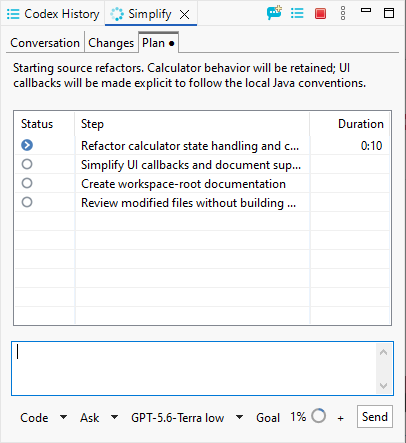
Ask for a change and Codex reasons about your codebase first, then presents a step-by-step plan you can review before a single file is touched.
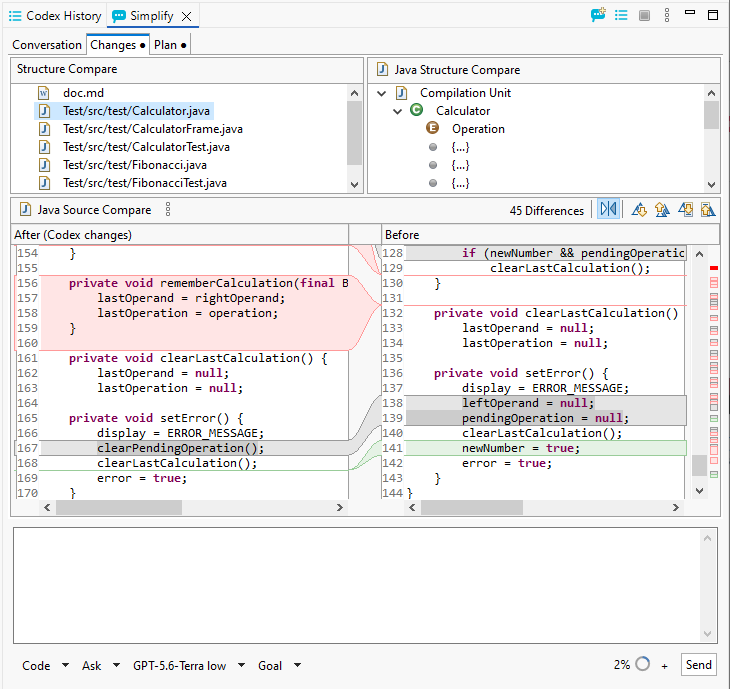
A built-in structure source compare shows exactly what Codex modified, before and after, so nothing lands in your code without your approval.
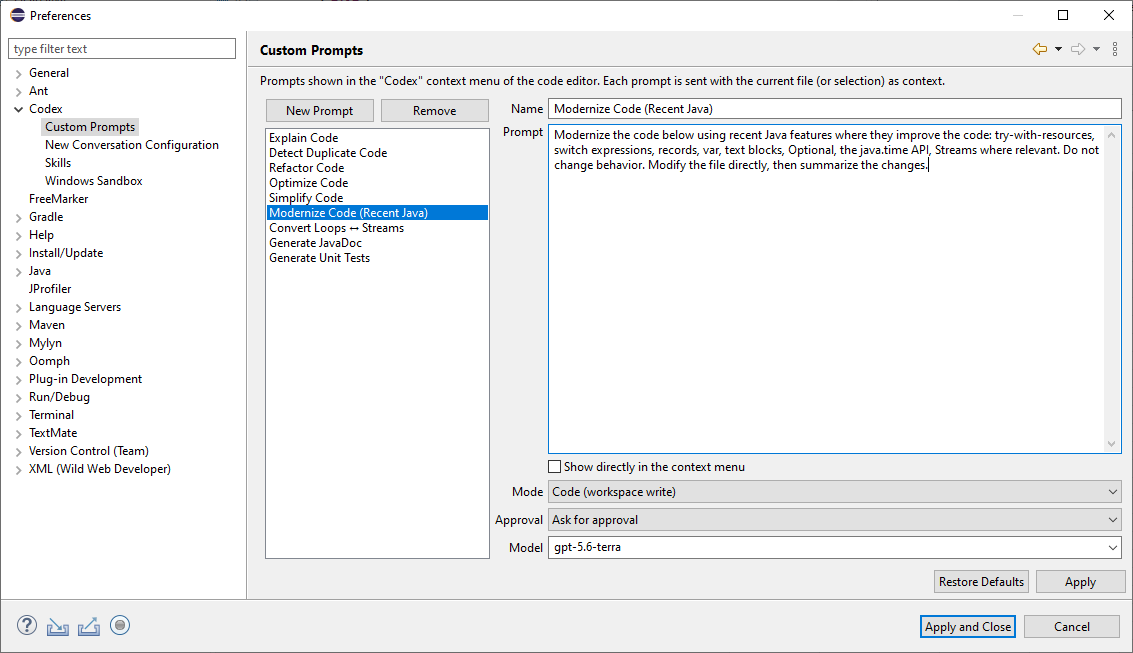
Ship with a library of ready-made prompts : Explain, Refactor, Optimize, Modernize, Generate Tests or create your own with their own model and approval mode.
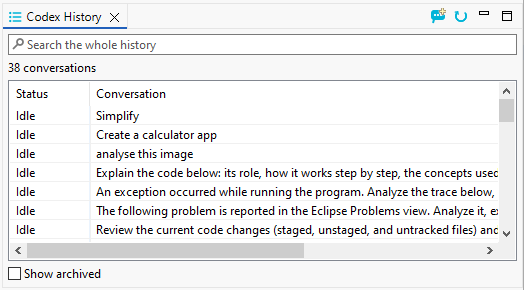
Every conversation is saved, searchable and resumable. Pick up any previous task exactly where you left off, across all your projects.
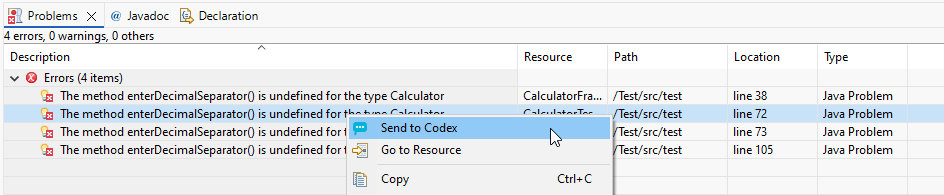
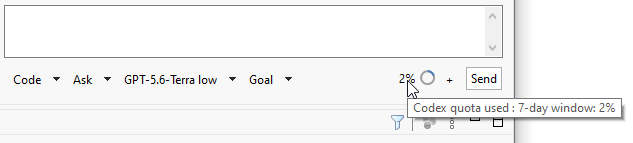
Send compiler errors, exceptions or any Problems-view entry straight to Codex, and keep an eye on your quota with the built-in usage indicator.
Right where you code
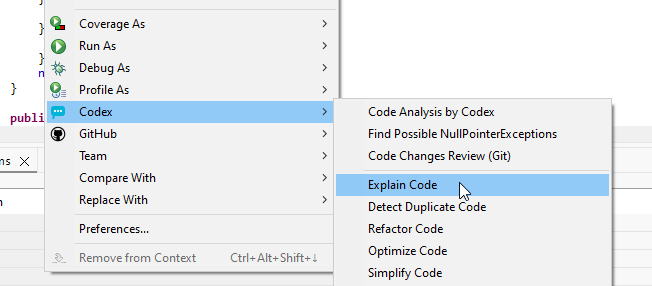
Codex in every menu
Right-click any file or selection to run Codex actions explain code, hunt for NullPointerExceptions, review your Git changes, refactor, optimize or simplify. The agent always works with your current file and selection as context.
Think before you build
Integrated Plan mode
Switch to Plan Mode and Codex reads your codebase, reasons about the approach, and presents a step-by-step implementation plan without touching a single file. Review the plan, then click Execute plan and watch it come to life step by step, with live status.
Nothing lands unseen
Full diff review
Before you accept anything, inspect Codex’s work in a familiar Eclipse compare view. A structure tree lists every touched file, while a side-by-side source diff highlights exactly what changed and what stayed the same.
Your workflow, your prompts
Custom prompt library
Curate the prompts you use every day. Each one carries its own name, model, mode and approval policy, and can be pinned to the editor context menu for instant access. Start from the built-in set or write your own.
Never lose a conversation
Searchable history
Every exchange with Codex is kept in a searchable history view. Filter across all your conversations, reopen a past session, or archive the ones you are done with your work with the agent is always at hand.
From error to fix
Send problems straight to Codex
See a compiler error or warning in the Problems view? Right-click and Send to Codex. The agent gets the full diagnostic and location as context and gets to work on a fix (no copy-paste required).
Stay in control
Built-in usage tracking
Pick your model, choose Code or Ask mode, set a reasoning goal, and keep an eye on your rolling quota, all from the same compact toolbar under the chat box.
Ready to try Codex in Eclipse?
Free to install, up and running in about two minutes.